Introduction
Black Friday is still the single best window to buy or upgrade a gaming PC—if you can cut through the noise. Retailers blast “percent off” banners and stacked bundles, but the actual savings are often buried under marketing spin. This guide is written to be a practical, step-by-step playbook that helps you identify genuine bargains across prebuilt desktops, GPUs, gaming laptops, monitors, storage, and peripherals in Black Friday 2025.You’ll find:
Best Black Friday PC gaming deals 2025
Black Friday 2025 shows clear patterns:
- Prebuilt desktops: Frequently the best all-in value for beginners because retailers bundle parts and labor. If a prebuilt includes a solid GPU and NVMe SSD for under your target price, it often beats buying parts singly.
- GPUs: Discounts are meaningful for last-gen and midrange models. Top-tier new-gen flagships tend to keep price points high.
- Gaming laptops: Expect deep cuts on midrange 1440p/144Hz models and lots of transient bundles (SSD upgrades, bundled accessories).
- Monitors & peripherals: 144Hz–240Hz IPS or VA panels and some OLED ultrawides often see noticeable markdowns. Popular keyboards, mice, and headsets also dip.
- Storage & RAM: NVMe SSDs and DDR5 memory kits reliably fall to attractive price-per-GB numbers.
Who this guide is for
This guide is crafted so you can skip to the playbook matching your needs.
- The Builder — Wants precise parts and control. Focus: GPU & CPU deals, verifying seller listings, and component compatibility.
- The Beginner / Time-Pressed Buyer — Wants a ready system with warranty. Focus: prebuilt bundles from reputable retailers and return policies.
- The Budget Gamer — Needs the best performance for 1080p/1440p. Focus: midrange GPUs, value monitors, and price-per-FPS thinking.
- The Streamer / Content Creator — Needs balance and storage. Focus: CPU cores for encode/transcode, NVMe capacity, capture interfaces.
- The Upgrader — Buying a single part (SSD/ram/GPU). Focus: historical price validation and restock alerts.
How to evaluate Black Friday PC deals
1-Identify the deal type
Determine whether the listing is a:
- Prebuilt bundle: desktop with CPU/GPU/RAM included.
- Single component: GPU, SSD, RAM, or CPU.
- Accessory bundle: monitor+keyboard or controller+headset.
Why this matters: prebuilts often house hidden savings because vendors bundle SSDs/assembly and sometimes use OEM parts. Components can sometimes go lower for builders, but only if you verify historical lows.
2-Check historical price
Use a price-history tool to confirm whether the current price is a real low. Common trackers:
- Keepa (Amazon): robust for Amazon entries.
- PriceSpy / Idealo (UK/EU): good aggregator for European retailers.
- Retailer watch: Newegg, Best Buy, Micro Center, Currys, MediaMarkt, Komplett.
Rule of thumb: If the current price is below the 90–180 day low, treat it as a real discount.
3-Compare across retailers
Cross-check at least two big retailers. If Amazon and Newegg both list the same low price for a GPU, that’s stronger evidence the price is genuine. For regional shopping, confirm with local stores (e.g., Micro Center for the US, Scan/Overclockers for the UK).
4-Read the actual specs, not the marketing text
- GPUs: model, VRAM, TGP (power), cooler type.
- CPUs: cores, threads, boost clocks, socket compatibility.
- Prebuilts: PSU make & wattage, motherboard chipset, SSD type (NVMe vs SATA), cooling solution.
Tip: If a prebuilt’s parts list hides the PSU brand or lists a non-branded cooler, treat the listing with caution.
5-Warranty & returns
Prefer manufacturer warranty of 1+ year. For prebuilts, check both manufacturer and vendor return policy—30 days is common. Keep screenshots for any price-match or return window.
6-Include taxes, VAT, and import duties
Always add VAT and shipping for EU/UK. For buyers in Pakistan and other emerging markets, calculate import duty, shipping, and whether the product will have local warranty support.
7-Use a short risk formula
A simplified quick-check:
Value = (Discount% × MSRP) − (Return friction + Import risk)
If Value > your threshold (e.g., $50–$75 on smaller buys), proceed.
8-Set alerts & decide a buy threshold
Pick target SKUs, set Keepa or PriceSpy alerts, and prepare auto-buy rules for lightning deals. When the price hits your threshold, act fast—top deals disappear in minutes.
When a prebuilt is better than building yourself
Choose a prebuilt if:
- You are short on time.
- Parts are scarce or Heavily marked up.
- You prefer single-vendor warranty and support.
- The prebuilt price beats a realistic parts total (including tax/shipping).
Build if:
- You want precise parts and future upgradeability.
- You can wait for component-specific markdowns.
- You care about premium PSUs or specific brands.
Best deals by category — practical checklists and acceptable price ranges
Prebuilt gaming PCs
- GPU generation: midrange RTX/AMD for 1440p.
- RAM: 16GB DDR5 minimum.
- SSD: 1TB NVMe preferred.
- PSU: 80+ Gold recommended.
- Warranty: at least 1 year.
Prebuilt tiers & example acceptable prices
| Tier | Typical Specs to Seek | Acceptable Price Range | Quick verdict |
| Under $1,000 | RTX 5060 / Radeon entry, 16GB DDR5, 1TB NVMe | $700–$1,000 | Great for 1080p/1440p — check PSU |
| $1k–$2k | RTX 5070 / 5070 Ti, 32GB option, 2TB storage | $1,000–$2,000 | Best for high-refresh 1440p |
| High-end | RTX 5080/5090 or top AMD, 32–64GB RAM, premium cooling | $2,000+ | Enthusiast builds — verify cooling & PSU |
Gaming laptops
- Panel: 1440p/144Hz or 1080p/240Hz.
- GPU: midrange-to-upper mid (RTX 50xx family or AMD equivalent).
- Cooling & battery: improved thermals preserve boost.
- Bundles: SSD/ram upgrades included are often better than pure price cuts.
GPUs & components — true vs nominal discounts
- True discount: price below historical low for 90 days.
- Watch out for bundle-only savings where retailers inflate MSRP on purpose.
- For components, always check seller reputation and return policy.
Monitors & peripherals
- Monitors: 27–32” 1440p 144Hz/240Hz panels and OLED ultrawides.
- Peripherals: mechanical keyboards, mice, headsets with known reputable brands often have real markdowns.
Storage & RAM
- NVMe SSDs: capacity-to-price often hits lows.
- DDR5 RAM: watch CAS latency vs price; faster kits on sale can be great value if latency is reasonable.
Price-tracking & deal validation tools
Tools to use:
- Keepa — Amazon price history and alerts.
- PriceSpy / Idealo — regional aggregators.
- Retailer watch lists — Newegg, Best Buy, Currys, MediaMarkt.
Practical method:
- Before Black Friday: select target SKUs and set alerts.
- On sale: compare the current price to 90–180 day history.
- If price < historical low: strong buy.
- If price is near historical low: check dealer reputation and buyer persona rules.
Why this matters: Many stores use “was/now” badges to create perceived savings. Price history is the only reliable way to cut through that noise.
Region & retailer tactics
United States
Top stores: Amazon, Best Buy, Newegg, Micro Center.
Tactics: Use lightning deals, saved carts, and store apps for early access. Micro Center sometimes has local in-store drops for CPUs/boards.
UK & EU
Top stores: Amazon UK/DE/FR, Currys (UK), MediaMarkt, Komplett, Scan.
Tactics: Compare the final price including VAT and shipping. Many retailers run week-long sales; local price trackers like PriceSpy are useful.
Pakistan & emerging markets
Tactics: Stock may be limited and import prices change fast. If buying globally, confirm local taxes, import duty, and whether the product has local warranty support. Sometimes local authorized dealers provide better post-sale service even if price is slightly higher.
Flash / Lightning deals — how to win them
Flash sales can vanish in minutes. To win:
- Prepare saved payment methods and autofill enabled.
- Keep your cart updated and use retailer apps for push notifications.
- Consider pre-authorized payment or express checkout.
- If you need a specific SKU, set auto-buy rules with price trackers where possible.

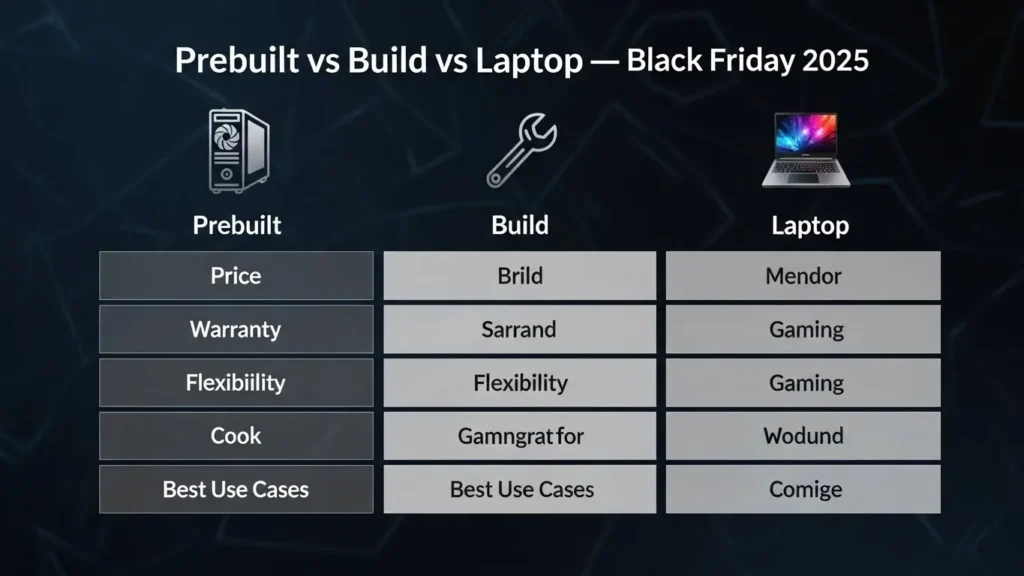
Head-to-head comparison: Prebuilt vs Build vs Laptop
| Aspect | Prebuilt | Build Yourself | Gaming Laptop |
| Price on Black Friday | Often best all-in value for beginners | Best if components drop | Good for portable 1440p/RTX |
| Warranty & Support | Single vendor warranty | Manufacturer warranties per part | Single vendor/manufacturer warranty |
| Flexibility | Low | Highest | Medium |
| Setup time | Minimal | High | Minimal |
| Best for | Beginners, convenience shoppers | Tinkerers | Gamers who need portability |
Practical examples
Budget Builder
- Goal: Best 1080p 144Hz experience.
- Strategy: Focus on GPU first. Aim for a midrange GPU with a price below 90-day low. Check 16GB DDR5 and 1TB NVMe deals. If components match your price threshold, build; otherwise pick a prebuilt under $900 with same GPU + SSD.
Time-Pressed Buyer
- Goal: Ready-to-play PC with warranty.
- Strategy: Choose prebuilt bundles that list PSU brand, DDR type, and NVMe storage. Prefer vendors with easy returns and 1-year warranty.
Laptop & Portable
- Goal: Portable 1440p/RTX experience.
- Strategy: Watch midrange laptop bundles that include extra SSD and accessories. Verify thermal reviews; a laptop with good thermals holds boost clocks longer and thus delivers better real-world performance.
FAQ
A: Retailers begin promotions across November; many start the week of Black Friday and peak on Black Friday and Cyber Monday. Practically, expect early-week doorbusters, week-long runs, and flash drops on the day itself. For best results, set alerts in the first two weeks of November and review daily price histories.
A: Yes — but many “discounts” are on older models or bundled SKUs. Verify with historical price tools and avoid listings that inflate an artificial “was” price. Look for clear retailer-wide price drops on reputable sellers and cross-check with two sources.
A: For beginners or those pressed for time, prebuilts often have the best all-in discounts; builders can still save on components if they track single-item deals and have readiness to assemble quickly.
A: Use price trackers (Keepa/PriceSpy) and check at least two independent retailers to validate the pre-sale price. Screenshots and timestamps help if you need to file a dispute or price-match.
A: For 1080p–1440p gaming, prioritize GPU. For heavy streaming, content creation, or CPU-bound workloads, allocate more to CPU. If in doubt, choose a balanced build with a midrange GPU and a modern multi-core CPU.
Pros & Cons
Pros
- Massive bundle discounts on prebuilt rigs.
- Solid markdowns on monitors and storage.
- Tools exist (Keepa/PriceSpy) to validate true discounts.
Cons
- Some discounts are marketing-driven; historical checks required.
- Import & VAT complications for cross-border buyers (EU/UK).
- Flash deals require readiness and fast checkout.
Conclusion
Black Friday PC Gaming Deals 2025 is a buyer’s playground if you come with a plan. Prebuilts often provide the best all-in value for beginners. Component chasers who use historical trackers (Keepa, PriceSpy) can still find excellent GPU, SSD, and monitor discounts. Prioritize GPU for gaming performance unless you have CPU-bound workloads. Verify price history before purchase and always factor VAT and return conditions for EU/UK buyers. Use the printable checklist and set alerts to win the best steals.